

Pickleball Scoreboard: Score Calls, Servers and Side-Out or Rally Scoring
Keep score at the court on your phone, rally by rally: the board calls the score (0-0-2), says who serves and from which court, and knows side-out and rally scoring.
The names and results shown are made up (the Maple Street Pool League is a demo organization).
This scoreboard is for games played on real pickleball courts, not a pickleball video game.
The pickleball Scoreboard keeps score for any pickleball game: practice, a friendly match, a league game or a tournament match. It runs on your phone or tablet and keeps the match on that device.
Start a match
- Switch the Sport switch at the top of the page to Pickleball.
- Open Score a match and go to Scoreboard.
- Type the two sides' names (optional), choose the Game (to 11, 15 or 21, side-out or rally scoring) and the Match (one game, best of 3 or best of 5).
- Choose who serves first after the coin toss or paddle spin.
- For doubles, leave Doubles ticked and type the four players. For singles, untick it.
- Choose Start scoring.
Before the first rally of each game, pick who starts on the right for each side. On the serving side, that player serves first.
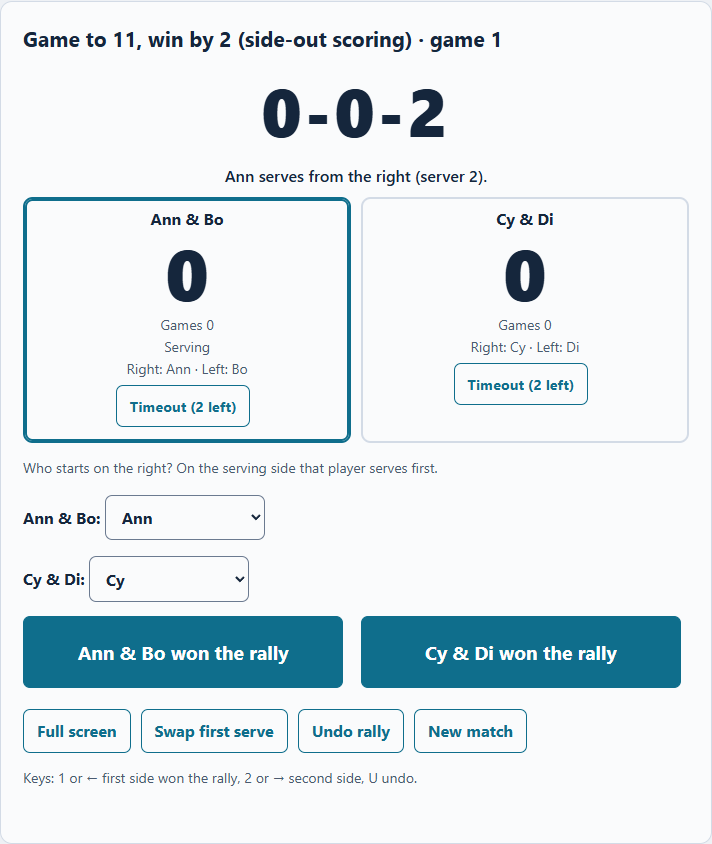
Zoomed picture: The pickleball scoreboard at the start of a doubles game: the call 0-0-2, Ann serves from the right (server 2), each side's score, games, who is on the right and left, timeouts, and the two rally buttons
Score each rally
After every rally, tap the side that won it: Ann & Bo won the rally or Cy & Di won the rally. On a keyboard, press 1 or ← for the first side, 2 or → for the second side, and U to undo.
The board works out everything else:
- The call. In side-out doubles it shows three numbers: the serving side's score, the receiving side's score, and server 1 or 2. The first call of a game is 0-0-2, because the side that serves first has one server only. In singles and in rally scoring the call is two numbers.
- Who serves, from which court. Players switch courts when their side scores on its own serve, so the board names the server and says right or left.
- Side outs. In side-out scoring only the serving side scores; when the second server loses a rally, the serve passes to the other side.
- Rally scoring. Every rally scores, and the receiving side can win the game on a rally.
Made a mistake? Undo rally takes back the last rally.
Win by 2, switching ends and timeouts
A game ends when a side reaches the target with a lead of 2; there is no cap. In the deciding game of a match, the board tells you to switch ends when a side reaches 6 (games to 11), 8 (to 15) or 11 (to 21).
Each side has two timeouts a game (three in games to 21). Tap Timeout on that side to use one.
When a game is won, choose Next game; the side that lost serves first. Full screen shows the board alone, large, with Back.
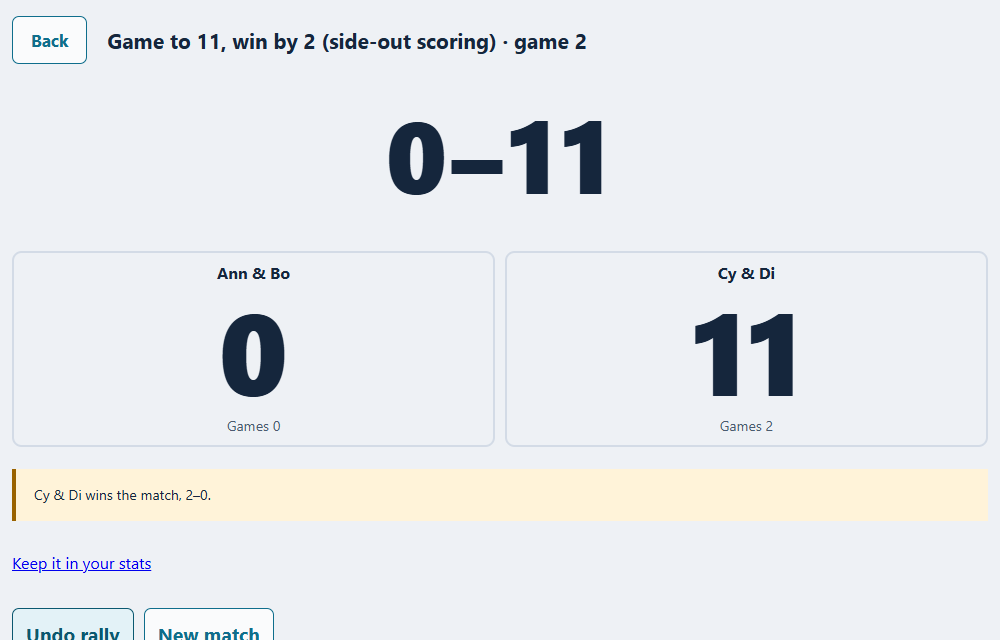
Zoomed picture: A finished best of 3 on the pickleball scoreboard in full screen: the final score of game 2, Cy & Di win the match 2-0, and Keep it in your stats
Keep it in your stats
When a casual match is over, Keep it in your stats opens Add a match filled in from the board: the game, the games each side won, and from the rallies, your points, rallies won, and rallies won on serve and on return. See Pickleball Rating and Statistics.
League nights and tournaments
On a pickleball league night, choose Score on the pickleball scoreboard on your game in the match sheet. Each finished game is saved to the sheet with its rallies, and Back to the match sheet takes you back to confirm the result.
In a pickleball tournament, a scorekeeper can choose Score on the pickleball scoreboard on a match. When it's won, Save the result sends the games won to the tournament. While the match is being scored, its live score (games and the points in the game being played) shows on that court's stream overlay.
More about pickleball on LeagueOrbit: pickleball.leagueorbit.com.