Run a chip tournament
Set up chips, let LeagueOrbit pair players as they come free, and follow the chip table.
The names and results shown are made up (the Maple Street Pool League is a demo organization).
In a chip tournament every player starts with chips. Each loss costs a chip, and a player with none is out. LeagueOrbit pairs players at random as soon as two are free. The last player with chips wins.
Set it up
- Open the tournament's Setup and choose Chip tournament as the format.
- Set the race for every match (for a lightning chip, race to 1) and the race for the last two players.
- Set the Starting chips. Optionally, add rows that give lower-rated players more chips, for example "rated below 450 gets 3 chips".
- Choose Save setup, add your entrants and make the draw as for any tournament.
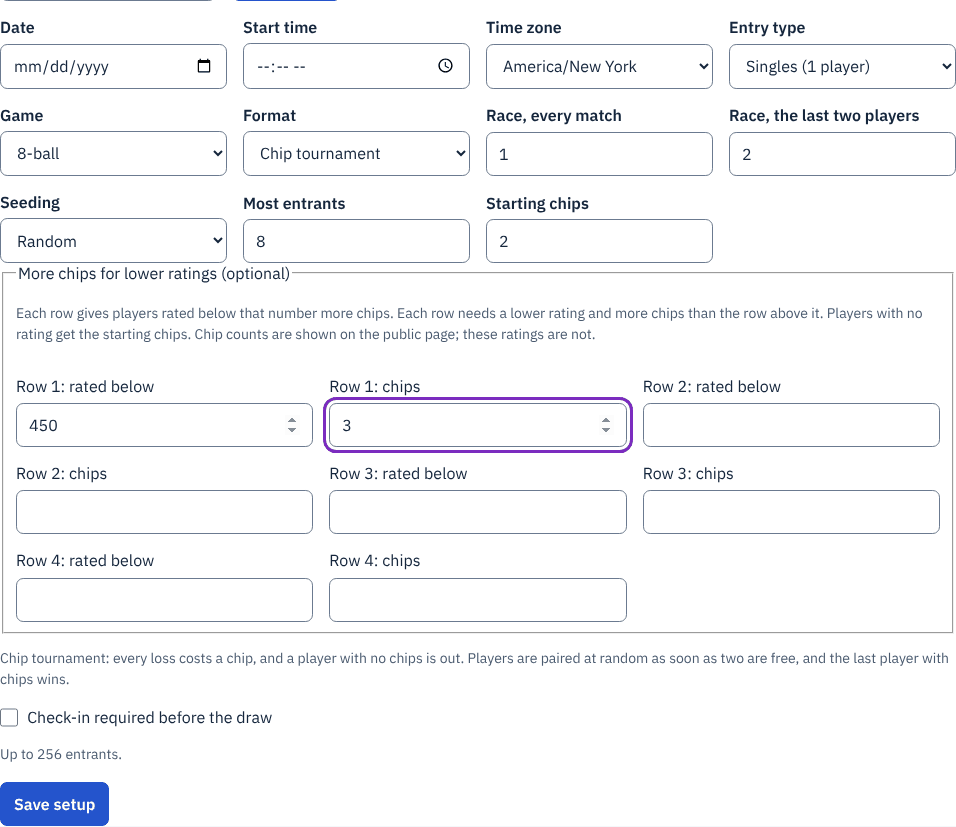
Zoomed picture: Setup for the Friday Night Chip: format Chip tournament, race 1 for every match and 2 for the last two players, 2 starting chips, and a row giving players rated below 450 three chips
Play
Score matches as usual. After each result, LeagueOrbit pairs whoever is free; the player who finished most recently waits when the number is odd, and two players who just met are not paired again while other matches are being played.
Follow the chip table
The chip table shows each player's chips left out of what they started with, their wins and losses, and whether they are playing, waiting or out. The public page shows the same table, without ratings.
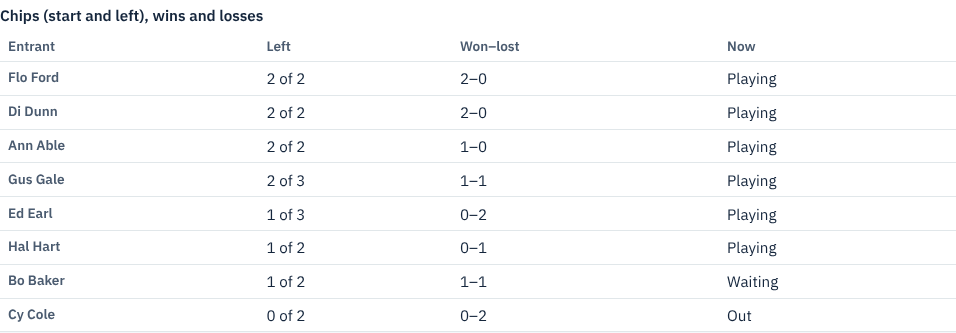
Zoomed picture: The chip table part-way through: Flo Ford, Di Dunn and Ann Able on 2 of 2, Gus Gale on 2 of 3, Ed Earl on 1 of 3, Cy Cole out
If a result was entered wrong, correct it: LeagueOrbit removes the later pairings it affected and pairs again.
For a redraw knockout instead, choose Redraw knockout and whether players are out after one loss or two; everyone still in is drawn again after each round.